
Revenue Solutions Built for Scale
Explore our suite of solutions - trusted products powering businesses today and bold innovations shaping the future. From Stripe apps that simplify billing to BillingPlatform accelerators and upcoming beta offerings, discover how we’re redefining financial workflows.INTRODUCING

BP Stream is a Salesforce-native integration, built by Ravus, that provides real-time, bi-directional connectivity between Salesforce and BillingPlatform - including Salesforce with Nue.io - without requiring external middleware or custom code.
GET THE DETAILS
At Ravus, we've developed BP Stream to empower non-technical administrators to configure real-time Salesforce-to-BillingPlatform integrations through an intuitive, point-and-click experience - easily chainable, with no code required.
Real-time Flow
BP Stream processes Salesforce-to-BillingPlatform transactions as they happen, with immediate confirmation of success or failure. This ensures contracts, amendments, and pricing changes are reflected in billing instantly, supporting a smooth user experience and predictable revenue operations.
Time to value
Evolve integrations in hours instead of weeks, allowing you to adapt quickly as products, pricing, and processes change.
- Point-and-click configuration
- Faster testing and safer deployments
- Minimal dependency on technical resources
Billing Accuracy
Protect billing integrity by validating data at the source.
- Failed transactions automatically stop downstream processing
- Retries are initiated from the originating record, resulting in cleaner data, fewer billing issues, and fast resolution when issues occur.
BP Stream Delivers Clarity, Precision in Real-Time
INTEGRATION ARCHITECTURE
- Salesforce / Salesforce additive quoting and ordering tools events trigger real-time actions instead of latent scheduled batch jobs
- Defined order of operations ensures consistent handling of contracts, rates, and amendments
- Data is validated in Salesforce before writes are committed to BillingPlatform
- Built as an unmanaged package, BP Stream allows for customization and admin maintenance - no expensive support required
CONFIGURATION & GOVERNANCE
- Transaction-level processing with synchronous success / failure responses
- Fail-fast behavior with optional rollback prevents partial or out-of-order writes
- Errors include full API execution context
- Idempotent retries are initiated from the source record
PROCESS ORCHESTRATION
- Metadata-driven mappings and conditional logic - no hard-coded workflows
- Operates within the Salesforce security and permissions models
Ready to learn more?
CONTACT US TODAY
Accelerators Built on BillingPlatform
The Ravus-built BillingPlatform accelerators listed below are available to existing BillingPlatform clients with the proper credentials to access the Built on BP Marketplace or to BillingPlatform clients and prospects who want to learn more about their offerings.
Trial Balance with GL Detail Report
OVERVIEW
The Trial Balance with GL Detail Report combines a standard trial balance with the detailed transactions that make up each balance. It shows account totals and check sums to confirm everything ties out, and also lists the underlying journal entries with their source objects. This results in not needing to run two separate reports - balances and supporting detail are all in one place.
Requirements
This Built on BP component works with Core BillingPlatform and does not have any module-specific dependencies.
FEATURES & BENEFITS
Displays account balances by financial statement line, with subtotals, totals, and check sums to confirm debits equal credits
Includes the detailed journal entries contributing to each account balance
Shows source objects (invoice, contract, credit note, etc.) for full traceability
Supports filtering by accounting period, currency, or account
Reduces the need to run both a trial balance and a journal entry detail report
Provides auditors and finance teams with both summary balances and transaction-level detail in one report
Holiday & Weekend Calendar
OVERVIEW
The Holiday & Weekend Calendar accelerator allows you to dynamically adjust workflows, notifications, invoice approvals, and payment schedules so they do not fall on weekends or public holidays. The calendar supports localization for different countries, accommodating regional holiday schedules for global customers.
Requirements
This Built on BP component works with Core BillingPlatform and does not have any module-specific dependencies.
FEATURES & BENEFITS
Date-Aware Workflows
Prevents customer notifications, invoice approvals, or payment collections from executing on weekends or holidays
Localized Holiday Calendars
Supports different calendars for different countries, ensuring accurate alignment with regional observances
Customer-Friendly Timing
Improves customer experience by avoiding interactions on non-business days
Flexible Integration with Workflows
Use formula logic in workflows to adjust dates dynamically based on the calendar
Advisory Services
Software Trends in the Billing Arena
If you’re reading this viewpoint, you likely have a vested interest in some combination of billing operations, software, and automation. In this discussion, we’ll go deep, be direct, and hopefully broaden your understanding of how software can help (or hurt) your billing transformation goals.
Read More

Stripe Solutions for Smarter Billing
PRODUCT
Customer Balance App
Provides a real-time view of a customer's current balance and underlying transactionsSee it on Stripe Marketplace
( DOWNLOAD ONLY AVAILABLE VIA STRIPE )
DEtails
Price: Free
Based in: United States
Supported language: English
Privacy Policy: Here
Support: Email Here
Description
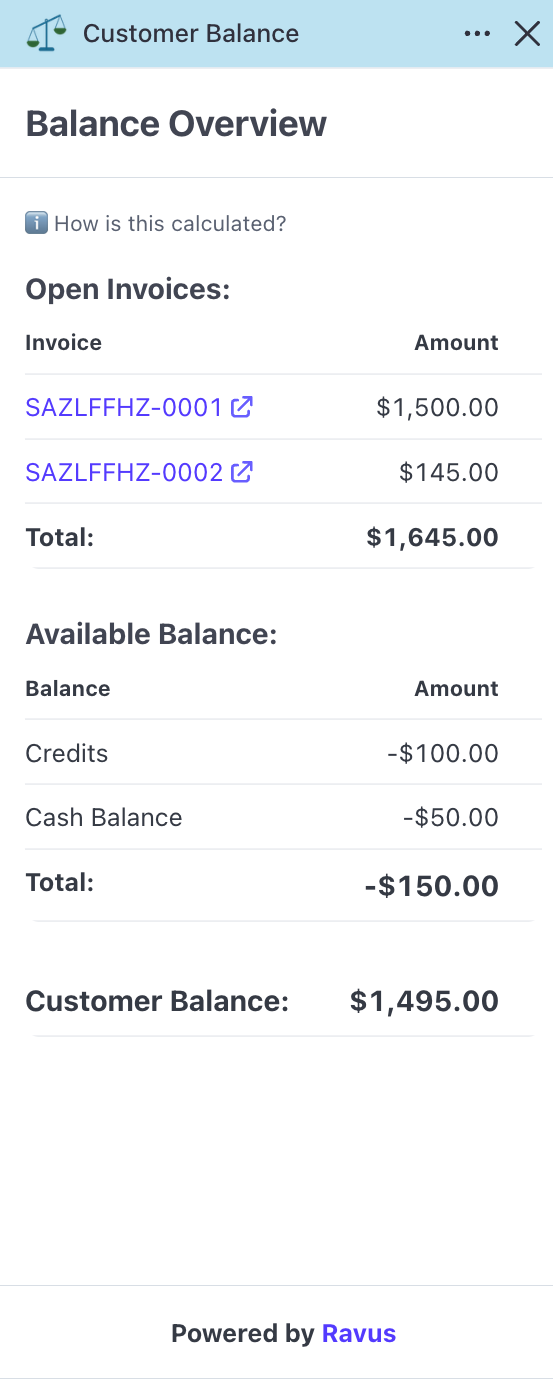
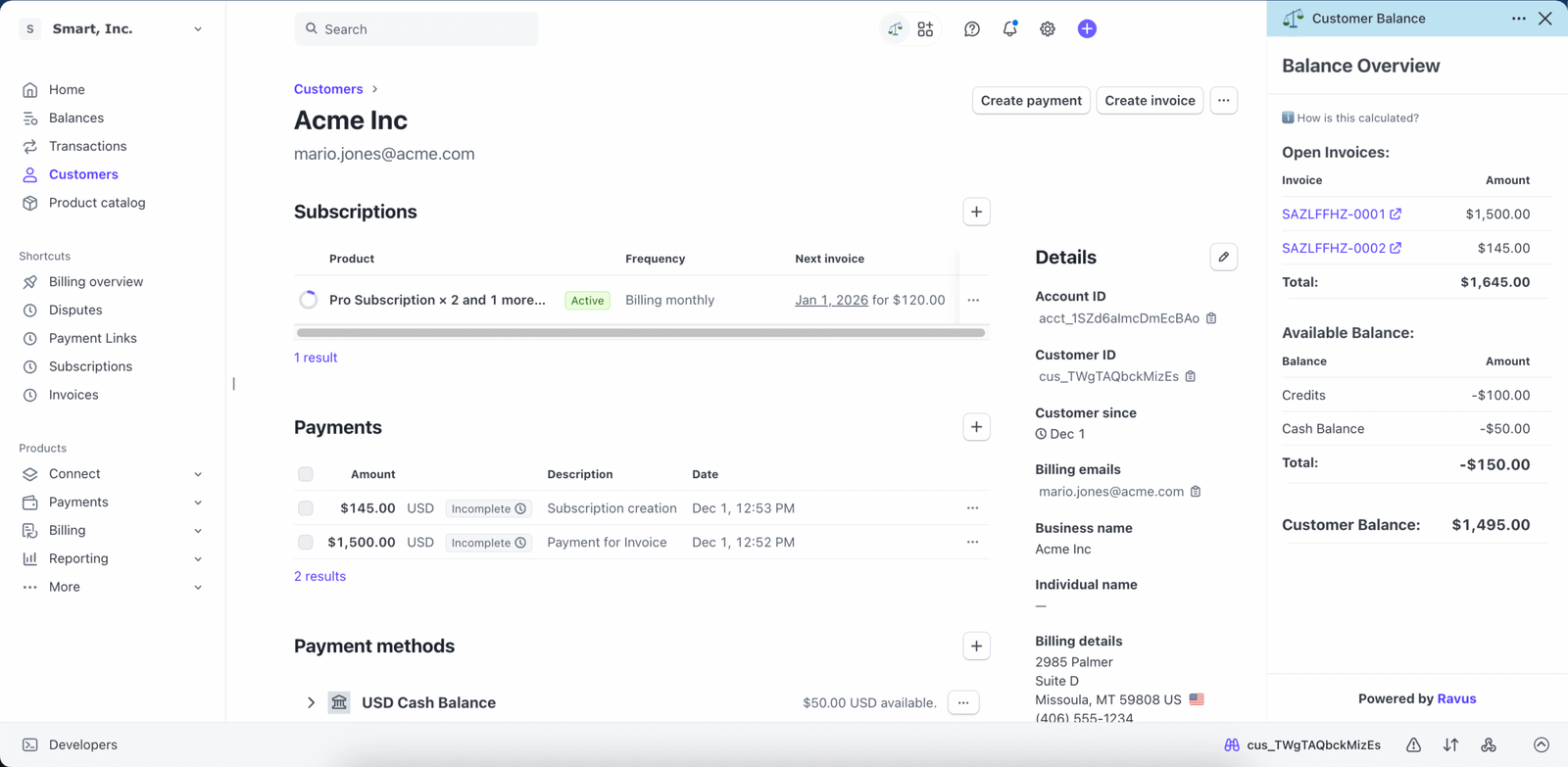
The Customer Balance App is designed exclusively for Stripe Invoicing and Billing users, empowering you to determine a customer’s outstanding balance. By aggregating open Invoice and Customer Invoice Balance data, the app enhances the Stripe UI by offering a summarized total customer balance, accompanied by detailed supporting information.
- Real-Time Balance Tracking: See what each customer owes at a glance
- Seamless Integration: Works directly within the Stripe dashboard for a frictionless experience
- Improved Cash Flow: Stay on top of receivables and reduce payment delays
Features & Benefits
Multi-Currency
Customer Balance displays invoices and balances in the customer’s default currency, set during invoice or subscription creation in Stripe.
Credits & Debits
The credits/debits line shows a customer’s invoice balance, applying automatically to the next finalized invoice based on Stripe’s classification.
Invoice Insights
View open invoices and the associated invoice lines to provide additional clarity into a customer’s outstanding amounts.
Screenshots